디자이너 없이 디자인 시스템 만들기 3일차 - 컴포넌트 레시피(Recipe) 만들기
최근 '어떻게 해야 더 쉽고 편하게 컴포넌트를 사용할 수 있을까?’ 계속 고민하던 중 Vanilla-Extract의 recipe 패키지를 알게 됐습니다. recipe을 적용해 다양한 타입의 Button 컴포넌트를 오전에 다 만들 수 있었고, CSS 양도 훨씬 줄어들었어요.
1. Recipe란?
이름 그대로 CSS를 레시피처럼 정의할 수 있는 패키지입니다. 자세한 설명은 Recipe 문서를 참고해주세요.
1) base
variants 종류와 상관없이 항상 공통으로 적용되는 CSS 속성을 정의합니다. 만약, 모든 버튼의 borderRadius가 항상 4px이라 하면 base에 적용할 수 있겠죠.
2) variants
size, type 등 다양한 컴포넌트의 옵션들을 변수처럼 정의하여, 선택에 따라 스타일이 달라지도록 설정할 수 있습니다.
작은 버튼은 ‘small’, 중간 버튼은 ‘medium’, 큰 버튼은 ‘large’로 설정할 수 있겠죠. 또한 기본 버튼은 ‘primary’, 주의 또는 경고를 나타내는 버튼 스타일은 ‘warning’으로 설정할 수 있습니다.
3) defaultVariants
defaultVariants는 variants 옵션을 지정하지 않았을 때 자동으로 적용되는 기본값을 설정하는 곳입니다. 즉, 사용자가 size나 type을 명시하지 않아도, 기본 스타일이 적용되도록 하는 역할을 합니다.
4) 타입 추출하기
RecipeVariants는 variants 타입을 자동으로 추출해줍니다.따라서 휴먼 에러 없이 variants를 사용할 수 있습니다.
export type ButtonVariants = RecipeVariants<typeof button>; // typeof [Recipe 이름]2. 레시피 만들기
먼저 이런식으로 버튼 타입별 recipe을 설정해줬어요.
// shared/recipes/Button.css.ts

import { color } from '@/shared/tokens/color/Semantic.css';
import { RecipeVariants, recipe } from '@vanilla-extract/recipes';
import { text } from '../tokens/text/Semantic.css';

export const button = recipe({
  base: {
    display: 'flex',
    alignItems: 'center',
    justifyContent: 'center',
    transition: 'background-color 0.15s ease-out',
    willChange: 'background-color',
	// ...

    ':disabled': {
      backgroundColor: color.interaction.inactive,
      cursor: 'auto',
    },

    ':hover': {
      backgroundColor: color.primary.strong,
      color: color.static.black,
    },
  },
  variants: {
    size: {
      small: {
        padding: '9px 17px',
        height: 38,
      },
      medium: {
        flex: 1,
        height: 40,
        fontSize: text.body[1].normal.fontSize,
        fontWeight: 700,
      },
      // ...
    },
    type: {
      primary: {
        backgroundColor: color.primary.normal,
        color: color.static.black,
        border: 'none',
      },
      category: {
        backgroundColor: color.button.background.inverse,
        color: color.static.white,
        border: `1px solid ${color.button.border.inverse}`,
      },
	  // ...
    },
  },
});

export type ButtonVariants = RecipeVariants<typeof button>;
Button 컴포넌트 만들기
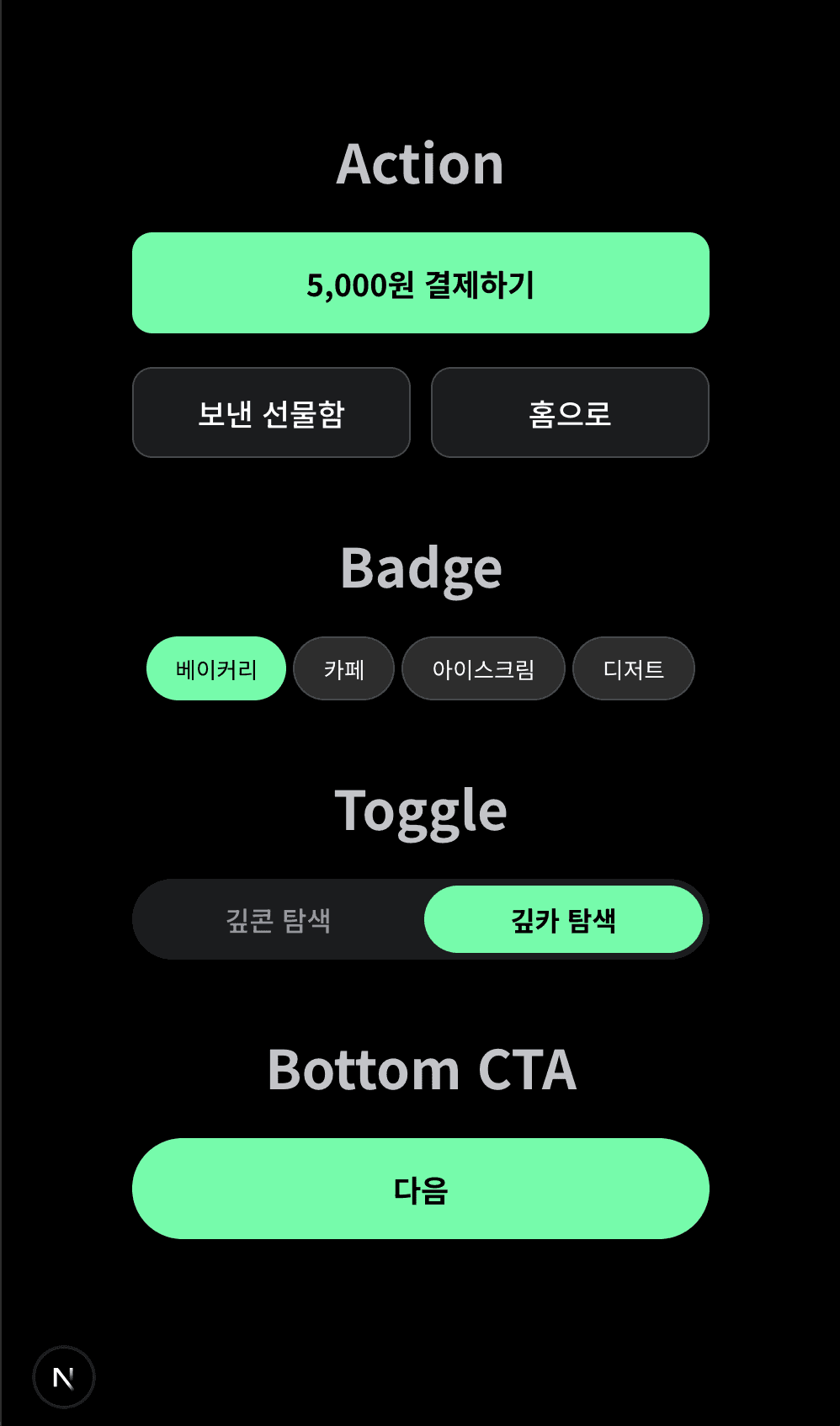
이제 레시피를 활용해 Button을 요리해봅시다. 먼저, 반복되는 코드를 줄이기 위해 다양한 타입의 버튼에서 호출할 BaseButton을 구현해줬어요.
BaseButton
// shared/components/Button/BaseButton.tsx

import { button } from '@/shared/recipes/Button.css';
import type { ButtonVariants } from '@/shared/recipes/Button.css';
import { cn } from '@/shared/utils/cn';

export interface BaseButtonProps
  extends React.ButtonHTMLAttributes<HTMLButtonElement> {
  children: React.ReactNode;
  className?: string;
  variants?: ButtonVariants;
  defaultVariants: ButtonVariants;
}

export const BaseButton = ({
  children,
  className,
  variants,
  defaultVariants,
  ...props
}: BaseButtonProps) => {
  return (
    <button
      className={cn(button({ ...defaultVariants, ...variants }), className)}
      {...props}
    >
      {children}
    </button>
  );
};
BottomCTA
위에서 살펴본 BaseButton을 상속해서 다양한 컴포넌트를 만들 수 있어요.
defaultVariants을 컴포넌트에 맞게 설정해주어서 의미를 가진 컴포넌트로 추상화했어요.<BadgeButton />같은 작은 버튼들도 쉽게 만들 수 있겠죠.
// shared/components/Button/BottomCTA.tsx

import { BaseButton, type BaseButtonProps } from './BaseButton';

export interface BottomCTAProps
  extends Omit<BaseButtonProps, 'defaultVariants'> {}

export const BottomCTA = ({ children, variants, ...props }: BottomCTAProps) => {
  return (
    <BaseButton
      defaultVariants={{
        size: 'xLarge',
        type: 'primary',
        borderRadius: 'full',
      }}
      variants={variants}
      {...props}
    >
      {children}
    </BaseButton>
  );
};
새로 컴포넌트를 만들지 않더라도 유연하게 스타일을 변경할 수 있도록 하기 위해 variants 객체를 props로 받아줬어요.
장점
장점
Recipe에 설정해주기 때문에 컴포넌트별로
.css.ts파일을 만들지 않아도 된다.작성해야 하는 CSS 양이 확실히 줄어든다.
컴포넌트를 만들기 간편해서 UI 변경에 대응하기 좋다.
타입이 있기 때문에 휴먼 에러가 나지 않는다.
단점
설정한 타입을 가끔씩 까먹고 다시 찾아본다. 물론 자동완성이 된다.
Vanilla-Extract에 대한 러닝 커브 ..? 사용법은
scss느낌이다.
마무리
이 정도면 거의 CSS Driven Development가 아닌가 하는 생각이 들었습니다